How I Use Claude Code for Marketing My Clients' Businesses
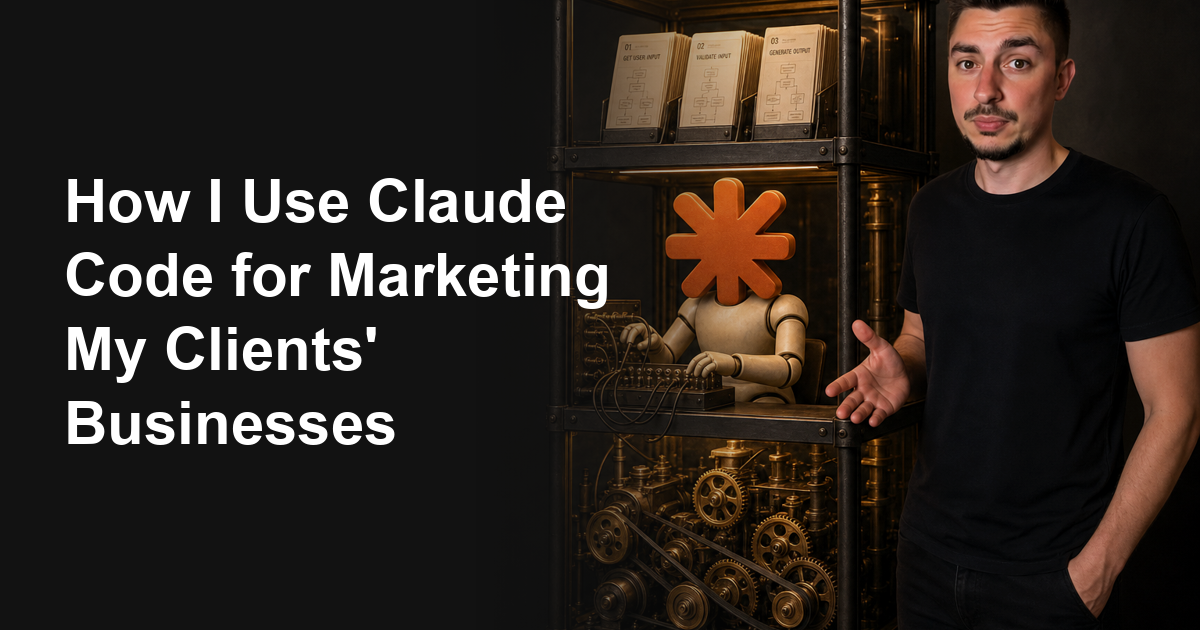
How I Use Claude Code for Marketing
The premise sounds like magic until you look at the mechanism.
Feed an AI a business and let it improvise, and it starts guessing at everything. That includes the parts that need to be exactly right every single time.
So I split the work into three layers instead of asking one model to do all of it:
- Directives are plain-English instructions, one job each, that say what a task requires.
- Orchestration is the decision-making layer that reads a directive and calls the right tool in the right order.
- Execution is deterministic code that does the work, the same way every time.
Run five steps at 90 percent accuracy each, and you land at roughly 59 percent success by the end. The errors compound.
Push the parts that must be reliable into code, and leave judgment calls to the model. That’s the only way the math stops working against you.
What Is Claude Code, and Do You Need to Code?
Claude Code is Anthropic’s version of Claude that runs on your own computer. It reads and writes files, runs programs, and works through a task in steps instead of answering in one message.
The name puts marketers off, and it shouldn’t.
You don’t need to write code to use it. I write instructions in plain English, and Claude writes whatever code the job needs.
The difference from a chat window is what it reaches by default. A chat window starts from what you paste in, and you can extend it with connectors if you go and wire them up.
Claude Code starts already pointed at a folder on your machine. It opens your files, runs a script, and reads the result. Then it decides what to do next based on what it found.
That is the whole reason it can run a pipeline rather than answer a question.
There’s one thing to know before you start: Claude Code needs a paid Claude plan. The free Claude.ai tier doesn’t include it, so a Pro or Max subscription is the entry point.
The Three-Layer Architecture
The same split, mapped to what runs this blog, looks like this.
| Layer | What it does | Real example |
|---|---|---|
| Directive | A markdown file, one job, written in plain English | The instructions this exact post followed to get gated and published |
| Orchestration | Reads the directive, decides what to run and in what order | Deciding when to draft, when to run the gate, when to regenerate an image |
| Execution | Deterministic scripts that do the actual work | The publish gate that checks writing patterns and facts before anything ships |
Directives
A directive is a markdown file with one job. It reads like an SOP you’d hand a new hire, instead of a prompt.
The one behind this post runs about 80 lines. It says what to read before writing a word, and which rules can’t be broken.
Then it lays out the exact sequence for turning a draft into a live post.
The plainness is deliberate. A directive that needs cleverness to follow is a directive that will get followed inconsistently.
Orchestration
Orchestration is the layer most people picture when they hear AI agency. It’s the part making decisions in real time.
- Read the directive.
- Check whether a script already exists for the job.
- Run it, read the output, and decide what happens next.
- Ask when something is genuinely unclear, and never guess on anything that costs money or ships to a client.
This layer is where judgment lives. Everything that shouldn’t be judgment gets pushed down into execution instead.
Execution
Execution is where the work happens, and it’s boring on purpose.
A script that publishes a blog post doesn’t improvise. It runs the same checks every time, in the same order, and it either passes or it doesn’t.
The blog gate behind this post is one example. It runs a copy checker for banned writing patterns and a fact checker against live sources.
It won’t let a post ship without a passing hash for both. That gate has already caught real violations before a post went live.
Real Systems Running Right Now
Three systems are running today that used to take a team to run.
This blog is one. A directive says how to research, write, and gate a post.
Orchestration reads the content calendar and runs the sequence.
Execution drafts the post, checks it, generates the image, and deploys it on schedule. You’re reading the receipt.
A client’s daily email pipeline is another. Tasks land on a project board, and a script pulls the brief and any source material.
It drafts the email in that client’s voice and drops the result into a document for review.
That whole loop runs every morning before either of us is at a desk.
The third is the automation layer underneath both.
Scheduled jobs handle the daily and weekly runs that used to mean remembering to babysit a script. Now they just run.
The Self-Annealing Loop
Most systems break, get patched, and break again the same way six months later. Mine isn’t supposed to.
The rule is that every fix has to survive the next time the same thing almost happens.
A post shipped in July with banned writing patterns still in it. The directive told the system to check, but I hadn’t built anything that enforced it.
That’s the difference between an instruction and a gate.
So the correction went further than that one post. It became the gate itself, the same one described above.
The same failure can’t ship again without something catching it first.
That’s the whole philosophy in one sentence. Directives request. Gates enforce.
Want this done for you? Book a free strategy call →
How Do You Install Claude Code Without a Developer?
There are two routes, and the one most marketing posts skip is the easy one.
The desktop app. Anthropic ships a desktop app for macOS, Windows and Linux that runs Claude Code without a terminal at all. Download it, sign in with your Claude account, point it at a folder, and you’re working.
If the terminal is the thing standing between you and trying this, start here.
The terminal. On a Mac or Linux machine, one line installs it:
curl -fsSL https://claude.ai/install.sh | bashOn Windows, run irm https://claude.ai/install.ps1 | iex in PowerShell instead.
Then confirm it worked:
claude --versionA working install prints a version number. After that, cd into the folder you want to work in, type claude, and log in through the browser prompt.
The official setup guide covers Homebrew, package managers and the Windows options in full.
Either route lands you in the same place: a session pointed at a folder, waiting for an instruction.
A Worked Example You Can Copy
Here is the smallest useful version of the whole architecture. It takes about 15 minutes and produces something you’ll use weekly.
The job is to turn rough notes from a client call into a follow-up email in that client’s voice.
Step 1. Make a folder and put two files in it.
One file holds the voice. Call it voice.md and paste in three emails you’ve already sent that sound the way you want to sound. Add a line at the top saying what to copy and what to avoid.
The second file is the directive. Call it follow-up-email.md.
Step 2. Write the directive in plain English.
# Follow-up email after a client call

Read voice.md before writing anything. Match its register.

Input: my rough notes from the call, pasted in the chat.

Write one email that does four things, in this order:
1. Names the outcome the client said they wanted, in their words
2. Lists what I agreed to do, with dates
3. Lists what I need from them, with dates
4. Ends with one clear next step

Rules:
- One sentence per paragraph
- No greeting other than "Hey [First]," or "Hi [First],"
- Never invent a date or a deliverable I did not write in the notes
- If the notes are missing an owner or a date, ask me rather than guessing
Step 3. Run it.
Open the folder in Claude Code and type: Read follow-up-email.md and run it on these notes: then paste your notes.
That last rule in the directive is the one doing the heavy lifting. It tells the system to ask instead of inventing. That’s the difference between a draft you can send and a draft you have to fact-check line by line.
Step 4. Fix the directive.
The first draft will get something wrong. When it does, resist editing the email and change the directive instead.
Add the rule that would have prevented the mistake. Run it again.
That loop is the whole method in miniature. The directive gets better every time it fails. The improvement carries into every future run instead of dying in one chat window.
You now have the three layers in their smallest form. The directive says what to do, Claude decides how, and the voice file keeps the output consistent.
How to Use Claude Code for Marketing Yourself
You don’t need to write a line of code to start this.
You need one file that says what your business needs done, in plain English. Write it the way you’d brief a new hire on their first week.
It should cover:
- What to read before writing copy
- Which rules can’t be broken
- Who gets asked when something is unclear
From there, the pattern repeats. Notice a task you do the same way every time, then write down the steps.
Show the system the shape of the job once, and it can turn those steps into a script.
The directive stays the instructions. The script becomes the muscle memory.
Start with the task costing you the most hours this month. Everything else can wait.
What This Means for Your Marketing
None of this replaces the work that needs a person. Strategy, client relationships, and the calls that require real judgment still take a human, and they probably always will.
What it replaces is the busywork sitting between a good idea and a shipped result. Research that used to take an afternoon takes minutes.
A blog post goes from brief to gated and live without anyone babysitting the deadline. An email pipeline drafts itself before the person running it is even awake.
I wrote about starting this experiment on this exact blog in day zero. My domain had no traffic and no backlinks to its name back then.
The same system already built a client’s SEO engine from zero to dozens of first-page rankings. You can see the numbers in the case study.
The tools themselves are free to try. I keep the ones I’ve built for clients and for this blog at the tools hub.
The copy cleaner there is the same one that checked this exact post before it shipped.
I broke down what this architecture runs day to day in Claude Code for growth marketing. It covers five scheduled systems, with the real number behind each one.
If you want the directive layer without building your own, I already released one. I run the five marketing skills on paid client work, and they’re free, no email required.
Claude Code for marketing stops you from doing the same work twice.
FAQ
Can Claude Code run a marketing agency?
It can run the repeatable parts. Directives say what to do, deterministic scripts do the work, and a person still owns strategy, client relationships, and anything that needs real judgment.
What is Claude Code used for in marketing?
Research, drafting, and orchestration mostly. Tasks that need to be reliable, like publishing on schedule or checking facts, run through deterministic code the AI calls rather than generating the answer from scratch each time.
Do you need to know how to code to use Claude Code for marketing?
No. You write instructions in plain English inside a directive file, and Claude Code can write the scripts for the repeatable parts once you've shown it the shape of the job.
How is Claude Code different from just using ChatGPT for marketing?
ChatGPT answers one prompt at a time. Claude Code reads a standing set of instructions, decides which deterministic script to run, and can act across an entire workflow instead of a single reply.
What does this architecture actually run in a real agency?
In mine it runs five scheduled systems: cold outreach across dozens of inboxes, this blog's own drafting and publishing, a lead database, a thumbnail pipeline, and the scheduler holding the other four to a clock.
Want this built for your business? Book a free strategy call →